

 Games
Games
 Live Dealers
 Promotions
 Promotions
 VIP
VIP

Dragon Slots Mobile: Easy PWA Install on iOS and Android
Play Dragon Slots on mobile with a fast PWA. No native app or APK. Add to Home Screen on iOS and Android. Setup steps, device needs, features, bonuses, FAQs.
Join NowDragon Slots App
Dragon Slots keeps mobile play easy. The platform’s lightweight app keeps your favourite games, exciting promotions, and all of Dragon Slots convenient features one tap away.
The layout is made for one hand: clear menu, large buttons, and quick scrolling. You can search or filter by provider, volatility, Megaways, Bonus Buy, jackpots, and new releases. Save favourites and jump back into recent games in a tap.
Your wallet and bonuses sync between desktop and phone, so you can start on one device and finish on another without any extra steps.
But the real clincher is this app lets mobile bettors nab limited-time promotions and get first crack at new releases, thanks to push notifications. You can be the first in line for exciting developments on the platform.

How to Download and Install
The app is available on the Apple Store if you’re using and iOS-powered device, like an iPhone or iPad.
If you’re on an Android, geoblocking may keep you from accessing the Dragon Slots on the Play Store. But don’t worry: you can still get the app by downloading the APK directly from the official website.
And if neither of those options feel like a good fit for you, you can save the website as a progressive web app. This will give you an icon that you can tap to launch the Dragon Slots mobile site through your mobile browser.

iPhone or iPad
-
 Open the App
Store.
Open the App
Store.
-
Use the Search
bar to find the Dragon Slots app.
-
Select the Dragon
Slots app from the results.
-
Tap “Get.” Verify
the installation when prompted.
-
Log in or sign
up!
In just five steps, you’ve made your next slots session way easier.

the IOS App

Android
If you can find the Dragon Slots app on the Play Store, congratulations! Simply download and install the app straight away.
But if you’re in a region where it’s geoblocked (and it was for us when we tested in Queen and NSW), then you’re going to want to download the APK. But don’t fret, because it’s just as easy.
-
Use your mobile
browser to open the official Dragon Slots website.
-
Go to the
Downloads tab.
-
Select the Dragon
Slots App for Android.
-
As it downloads,
go to your phone settings and enable installation of unknown
apps.
-
Go to your
Download folder, then tap the file to launch installation.
-
Log into your
account or sign up.
We can’t stress this enough: download the APK directly and only from the official Dragon Slots site. Protect your data and device by avoiding files from unknown third-party sources.
You can also disable installation of unknown apps after you’ve completed the steps.

Android App
Dragon Slots App Features & Benefits
Just what makes the Dragon Slots app such a standout?
- Quick Start: You will only need to log in once. Each time you open the app after that, you can start playing right away.
- Easy Game Discovery: The lobby is organised and simple to use, so you find games faster. You can scroll categories, search by name, and filter by Provider, Volatility, Megaways, Bonus Buy, Jackpots and New releases. You can also save favourites and jump back into recently played titles with one tap.
- Light, Fast, and Made for One Hand: The app is optimised for on-the-go gaming. Buttons are thumb-friendly and menus are clear. Most games support portrait or landscape, and switching between titles is simple. You don’t need to be a tech whiz to navigate the app. The UI is intuitive.
- It Syncs Across Devices: Your account works on desktop, tablet, and phone. Your balance, bonuses, favourites, and recent games move with you. You can start on your laptop and continue on your phone without missing a beat.
- Extra Bonus: The Dragon Slots app unlocks 10 extra free spins. Technically, it’s a no-deposit bonus because you don’t need to load your bankroll to be eligible for the free spins. Just download the app!

App Requirements and Compatible Devices
Because Dragon Slots is mobile-optimised, it runs smoothly without weighing down your device.
Of course, more recently released devices may have a bit of a leg up here.
Nevertheless, a strong and stable internet connection and enough storage/memory is really all you’ll need.

iPhones and iPads
To run the Dragon Slots on your iOS device:
- Minimum OS is iOS 12. iPadOS 12 for iPad.
- iOS 14 or newer.
- iPhone models from 8 and SE 2nd gen onward work well. This includes X, XR, XS, 11, 12, 13, 14, and 15 families.
- iPad 5th gen and later, iPad Air 3 and later, iPad mini 5 and later, and all iPad Pro models are fine.
For live tables and high quality video, use Wi Fi or strong 5G if possible. If a stream drops, refresh the page or switch to Wi Fi for more stability.
the IOS App

Android Phones and Tablets
Based on our tests, Android devices from the past 5 years or so can easily keep up with the Dragon Slot app’s system requirements:
- Minimum OS is Android 8.0.
- Recommended OS is Android 10 or newer. This improves webview performance and keeps security patches fresh.
- A mid-range processor from the Snapdragon 600 or 700 series is fine. Higher is better.
- Aim for at least 3 GB of RAM. Four or more is better if you keep many apps open.
- A 720p screen is OK. A 1080p screen looks crisp and helps with game UI details.
For live streams, use Wi Fi when you can. Otherwise, a strong LTE or 5G signal helps.
We noticed that an Android’s battery saver feature can throttle video and animations, so turn it off during live tables if you can.
Android App
Mobile Web Version
If you don’t want to install the app, the mobile site on its own works great. You can either use your mobile browser or save the Dragon Slots mobile site as a PWA.
You open your browser, log in, and the full experience is there. You get the same lobby, the same wallet, the same promotions, and the same support. Your balance and your settings sync between desktop and mobile, even if you never add a home screen icon.
This option is especially handy for bettors who share their device with other users.
Join NowFrequently Asked Questions
Yes! iPhone and iPad users can get the app from the App Store.
But the Play Store may geoblock the app in some regions. You can just as easily get the app with the APK on the official website.
Yes, but make sure you are downloading directly from the Dragon Slots website. Avoid any third-party sites.
Open the App Store and use the search feature to find the app. Tap “Get.” If prompted, verify the download and installation through Touch ID or Face ID.
If you can’t find the app on the Play Store, sideload using the APK from the Dragon Slots website. You may need to enable installation of unknown apps, but you can disable that again after the APK is successfully installed on your device.
Yes. Your transactions and data are protected by encryption, whether on the mobile site or app.
The Dragon Slots app should update by itself if you’re on an iOS-powered device. On Android, just download the new APK from the website.
Most likely. iPhone 8 or SE (2nd gen) on iOS 12 or newer is fine. Android 8.0 or newer is recommended. During our tests, what seemed to matter more was maintaining a strong and stable internet connection.
Nope! Never download files from third-party websites because this makes you vulnerable to malware and phishing. Only use the APK from the official Dragon Slots website.
If you’re extra worried about downloading and installing the app, you can save the mobile site as an APK.
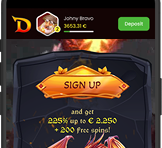
Yes. Downloading the app makes you eligible for 10 free spins, with no deposit required. You can claim all Dragon Slots offers on mobile as you would on the desktop site. The banner currently shows 225% up to €2,250 plus an instant bonus round and 200 free spins.
Always read the bonus page for rules. Check wagering, eligible games, caps, and expiry before you opt in.
If you’re playing on the mobile site, refresh the page and update your browser.
And whether you’re on app or the mobile site, try switching from mobile data to Wi-Fi or the other way around. You should also check if your operating system is due for an upgrade.
But for the most part, the Dragon Slots app and mobile ran without glitches or hitches for us. Even livestreams and live dealer games functioned well.
If you still have trouble, contact support.
The catalogue can change by region. Provider rights can also vary. Your device or browser may not support a feature in that title. Update your OS and browser and check again later.
Yes. On iOS, turn on Face ID or Touch ID. On Android, use your browser manager and your device biometrics.
Yes. Your balance, bonuses, favourites, and recent games sync across devices. You can start on one device and continue on another with no extra steps.

Responsible Gaming
Please play responsibly. Only play if you are 18 or older, or the legal age in your region.
Being a responsible gambler boils down to two steps: set a boundary, then stick to it.
It sounds simple, but it can be hard to do. We’ve all had moments when we’ve played an hour too long or risked another dollar that we maybe shouldn’t have.
So set yourself up for success by taking advantage of the suite of responsible gambling tools on Dragon Slots. You can set deposit limits, set reality checks, take a cool-off, or apply self-exclusion. If you need to talk to someone, customer support will be more than happy to point you towards support groups and organisation.
Set limits that fit your budget. Take breaks. Never chase losses. Remember that gambling is for fun, not for profit.
